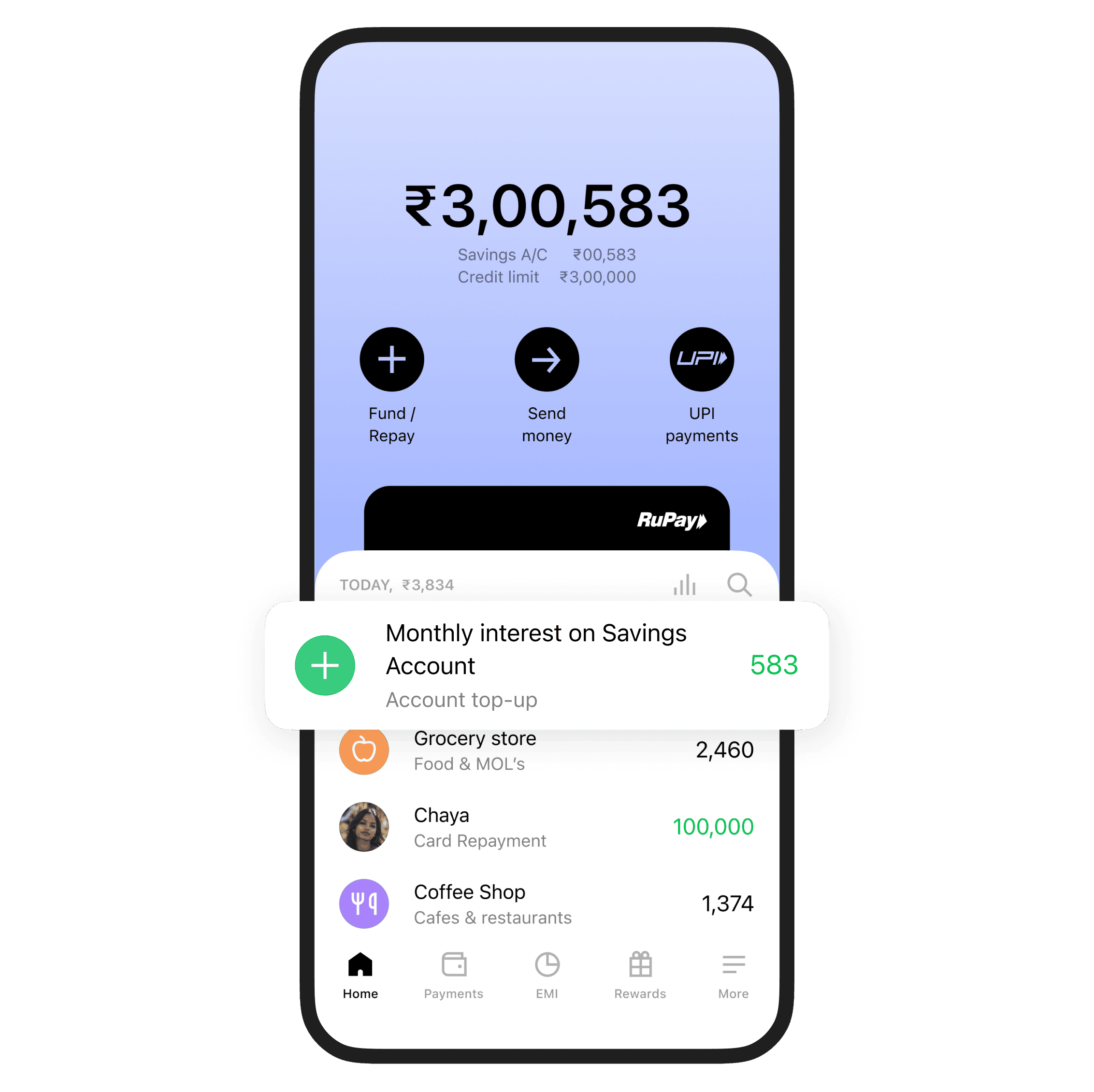
Open your savings account in a few clicks. No joining fee. No annual fee. Earn up to 7% interest p.a. with monthly payouts. Zero balance? Totally cool
Zero balance. No fees. Open your Roarbank account now
Zero balance savings account benefits
Savings account + credit in one sleek card
One card. Two powers. It's your savings account and your credit line packed into a 2-in-1 experience. Save smart. Spend smarter
No hidden fees. Ever
No joining fee. No annual fee. No minimum balance required. No stress. Just your money doing its thing
Earn up to 7% interest p.a.
Your savings deserve better. Earn up to 7% interest per annum with monthly payouts. Yep, monthly. So your money grows and shows
UPI-ready from day one
Link your card to any UPI app. Scan, pay, transfer, repeat. Use your 2-in-1 card for everything UPI
Instant credit limit
Get a credit limit of up to ₹1.5 lacs instantly. Use it with up to 62 days of interest-free credit. No long forms. No long waits
Up to 20% cashback on spends
Earn rewards that feel like a win. Get up to 20% cashback on selected categories every month. Categories change, fun doesn’t
Withdraw anytime, no fuss
Need cash? Go for it. Unlimited ATM withdrawals with your card. Use any ATM without worrying about weird restrictions. (Standard network rules apply.)
Virtual card from the get-go
No waiting for plastic. Get your virtual card instantly after signing up. Start spending online right away
Support that speaks human
Stuck? Confused? Just curious? Our support team is made of actual people who speak your language, not bots pretending to care
WhatsApp
Phone call
Help is always just one tap away
What do you need to open a savings account at Roarbank?
You only need a few essentials. No long forms, no branch visits, no stress
PAN card
Aadhaar card (linked to your mobile number)
A working smartphone
A few minutes of your time
That’s it.
You’re
good to go 🚀
How to open a zero balance savings account?
Download the Roarbank app from Play Store or App Store
Get credit approved and unlock your savings account with the 2-in-1 card
Complete a quick digital KYC using your Aadhaar and PAN
Start using your zero balance savings account instantly
FAQ 🧐
How much money can be deposited in a savings account?
There's no cap on deposits. Add as much as you like to your Roarbank savings account
Is interest on savings account taxable?
Yes, interest earned on your Roarbank savings account is taxable as per income tax laws. You can claim deductions under Section 80TTA (up to ₹10,000 per year)
What are the documents required to open a zero balance account online?
Just your Aadhaar and PAN. Both should be linked to your mobile number for quick digital KYC
How to deposit money into a Roarbank zero balance savings account?
You can add money via UPI, bank transfer, or use your 2-in-1 card to receive payments directly into your savings account
What is the interest rate on a Roarbank savings account?
You can earn up to 7% interest p.a. with monthly payouts. The exact rate may vary based on your balance and usage
Do I get a card with my zero balance account?
Yes. You get a 2-in-1 card that works as both a savings account card and a credit card. A physical card is sent to you by default, and you can start using your virtual card instantly after signup.
Download Roarbank & open your zero balance savings account 🖤